Important Usage Guidelines for NinjaTrader 8 with NSE & Crypto Markets
 Gokul Bell1 min read
✅ Recommended Usage Time for BTCUSD:
Use BTCUSD/ETHUSD charts only during evening hours between 06:30 PM – 2:30 AM IST for optimal performance and good volumes.
❌ Do Not Run Both Workspaces Simultaneously:
Never run both NSE and BTCUSD workspaces at the same time to avoid data conflicts or platform lag.
Step 1: Open NinjaTrader Settings
Go to the top menu bar in NinjaTrader and click on:Tools > Settings menu in NinjaTrader.
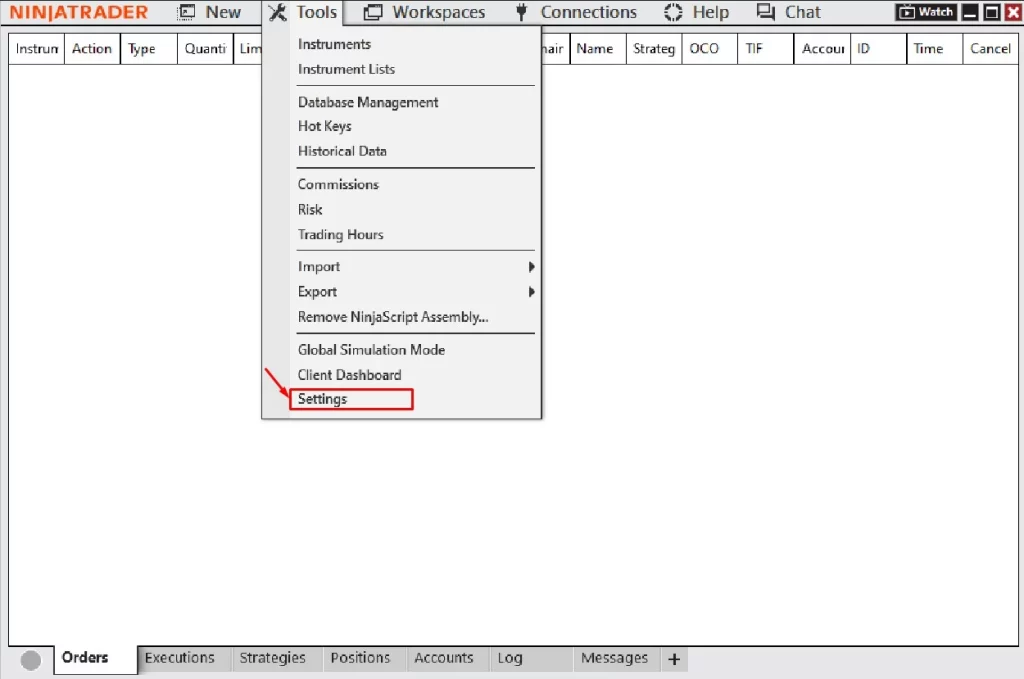
Step 2: Select Your Preferred Time Zone
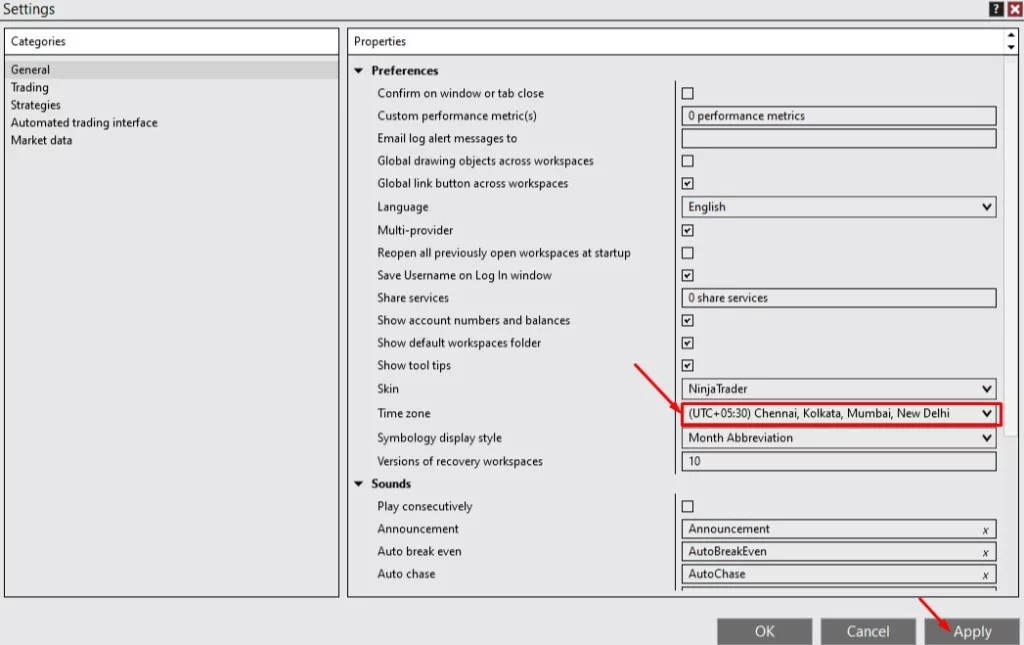
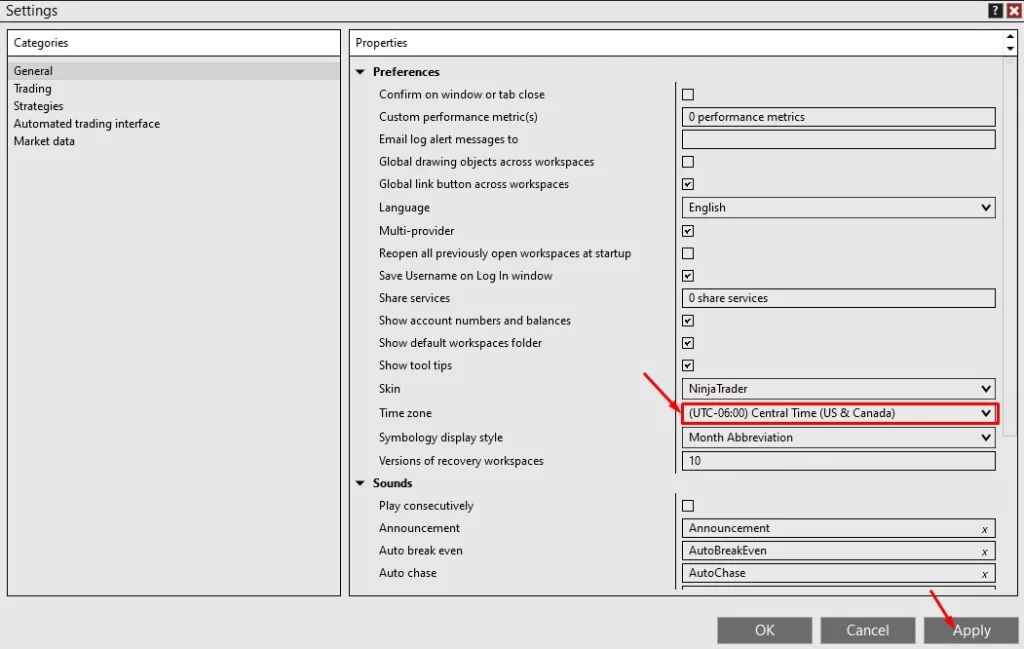
In the Settings window:- Under the Categories section on the left, click General.
- On the right, under Preferences, locate the Time zone dropdown.
- Choose your desired time zone from the list.
🕰️ For Indian Standard Time (IST)
🔄 Time Zone Settings – NSE Market:
Before using NSE market:
▪ Select: (UTC+05:30) Chennai, Kolkata, Mumbai, New Delhi
Once selected, click Apply at the bottom of the screen.
You will immediately see a Restart Required message.
⚠️ Caution: You must restart NinjaTrader for the time zone change to take effect.
This change will not update previously stored historical data or trading records to the new time zone.
🕰️ For Crypto Market (BTCUSD / ETHUSD)
🔄 Time Zone Settings – Crypto Market (BTCUSD / ETHUSD):
Before using crypto market:
▪ Select: (UTC-06:00) Central Time (US & Canada)
Once selected, click Apply at the bottom of the screen.
You will immediately see a Restart Required message.
⚠️ Caution: You must restart NinjaTrader for the time zone change to take effect.
This change will not update previously stored historical data or trading records to the new time zone.
Gokul Bell / BellTPO
BellTPO is an NinjaTrader vendor & member of the NinjaTrader Ecosystem, along with other leading experts who offer quality charting products and support.